Setup Front Office
The Setup Front Office module allows administrators to configure various front office functionalities. These include defining purposes, complaint types, sources, and references used within the school environment. Setting up these components helps in streamlining daily operations and ensuring that data collected through forms is structured and consistent. Receptionists and other staff members can use these options while handling inquiries, complaints, admissions, and visitor registrations.
Add Purpose
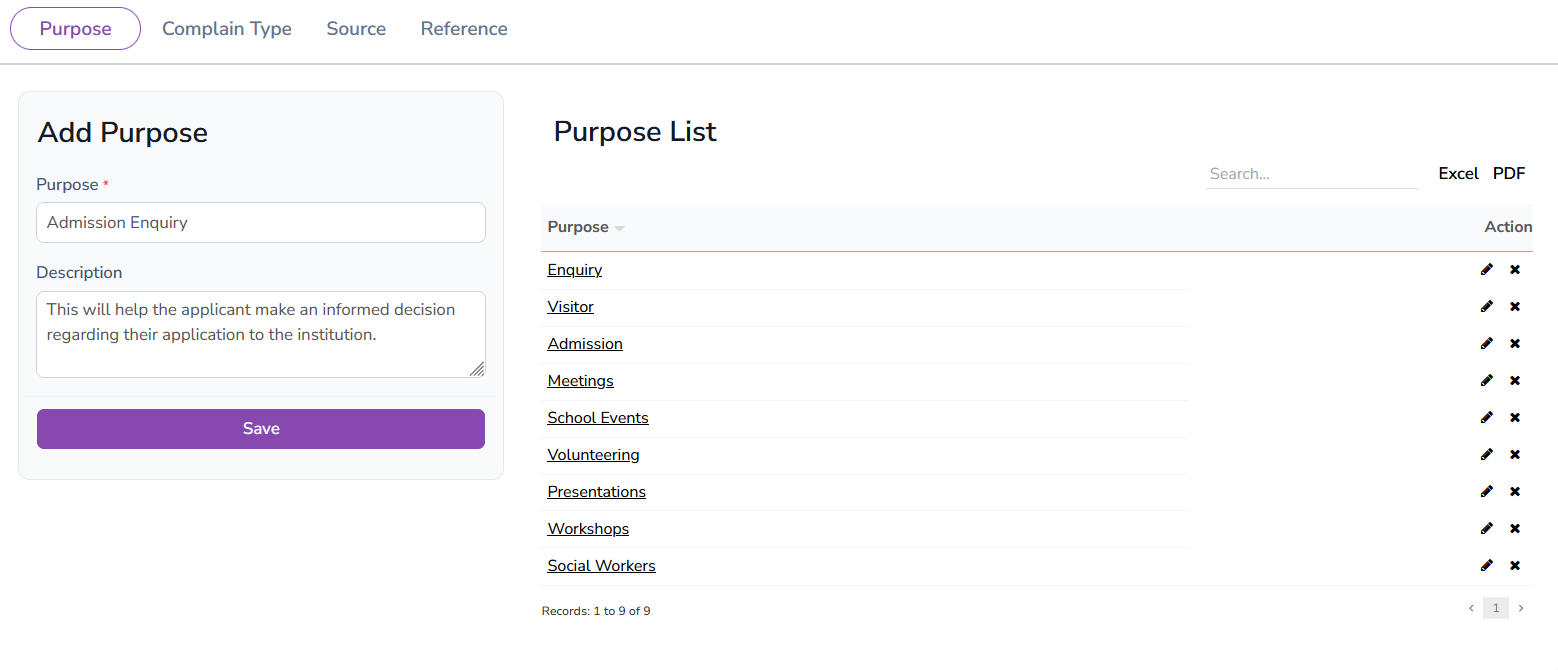
The Add Purpose feature allows administrators to define various purposes for visits or inquiries. These purposes are displayed as selectable options in the inquiry form, helping in categorizing the reason for each visit. Common purposes include Enquiry, Meeting, Visitor, and Admission. Admins can add, edit, or delete purposes as needed. This flexibility ensures that the form remains relevant and updated as per the institution's requirements. Accurate categorization of visits helps maintain organized records and enables quick reference.
Complain Type
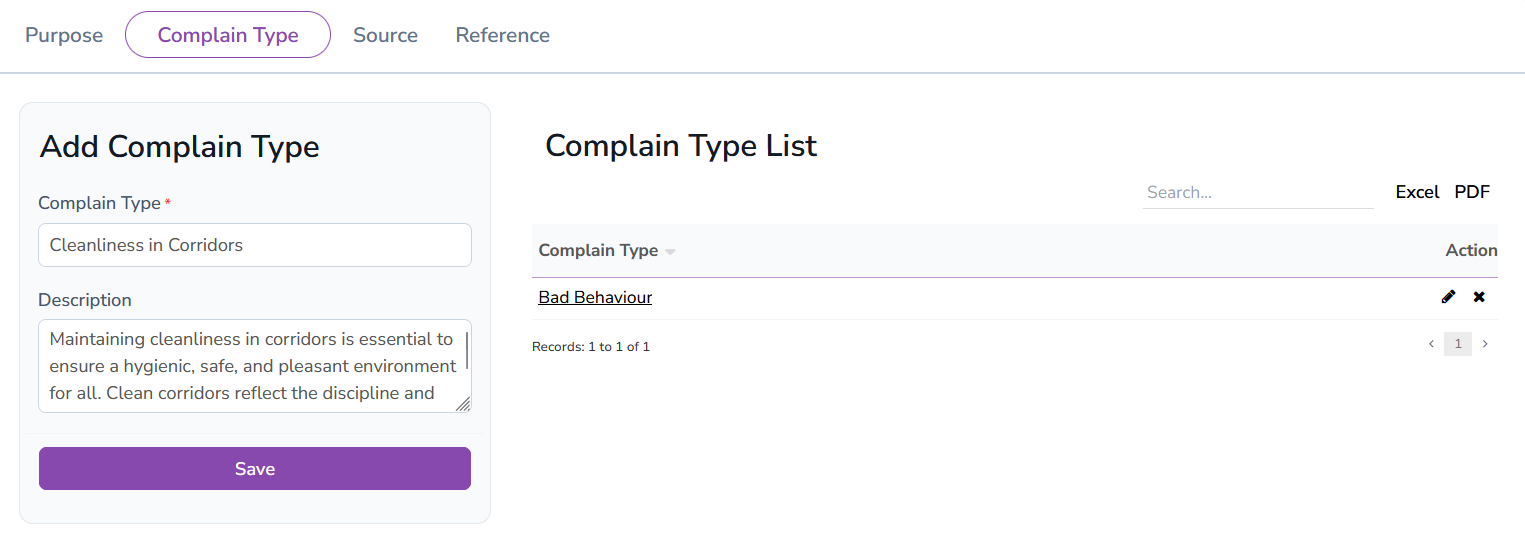
The Complain Type module helps administrators define categories for complaints raised by students, staff, or visitors. These complaint types are used in the complaint form to specify the nature of the issue. Examples include Cleanliness in Corridor, Fan Requirement in Classroom, and more. Admins can manage the list by adding new complaint types or editing existing ones. Properly categorizing complaints ensures efficient resolution and systematic record-keeping.
Source
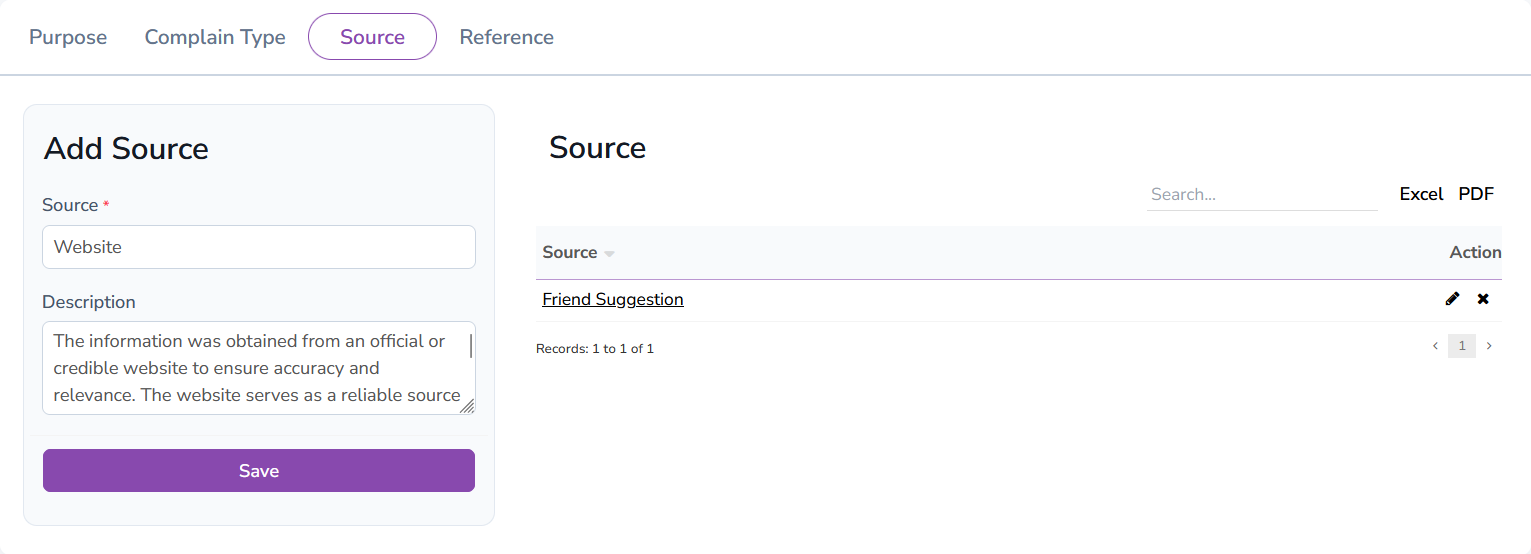
The Source module allows administrators to define sources of admission inquiries. These sources help track how students or parents learn about the school. Common sources include Website, Friend's Suggestion, Newspaper Ad, and Social Media. Having a list of sources helps in data analysis and marketing strategies, enabling the school to focus on the most effective channels.
Reference
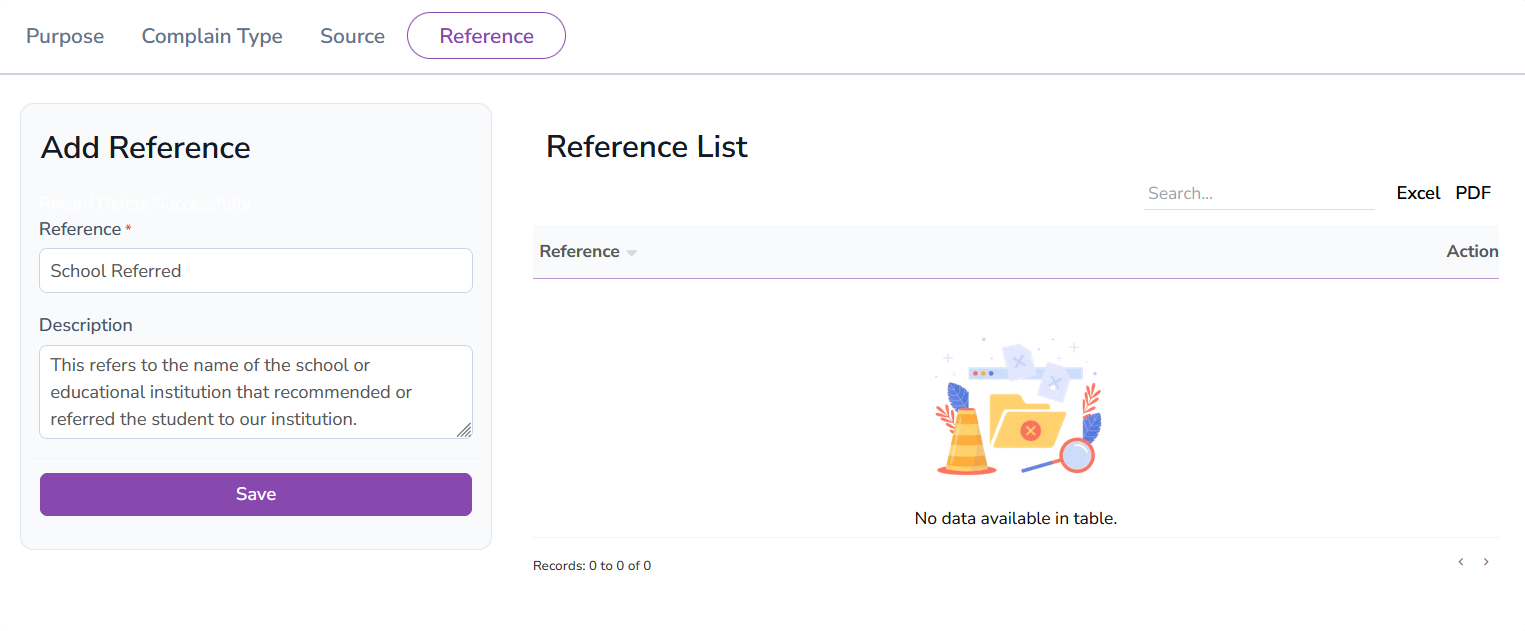
The Reference feature helps administrators track references provided during the admission or inquiry process. This module captures details about who referred the new admission, whether it was an existing student, a parent, or a staff member. Maintaining a reference list helps the administration acknowledge and appreciate referrals, fostering a community-driven admission approach. Admins can add, edit, or delete reference options as per the institution's policies.
Admission Enquiry
The Admission Enquiry module helps administrators manage and track admission-related inquiries efficiently. The system displays a list of all recorded enquiries, allowing administrators to view, edit, or delete each entry. A filtering option is available to sort enquiries based on Source, Date (From-To), and Status, making it easier to track relevant data. This feature streamlines the admission process by organizing and maintaining records of all potential admissions.

Add Admission Enquiry
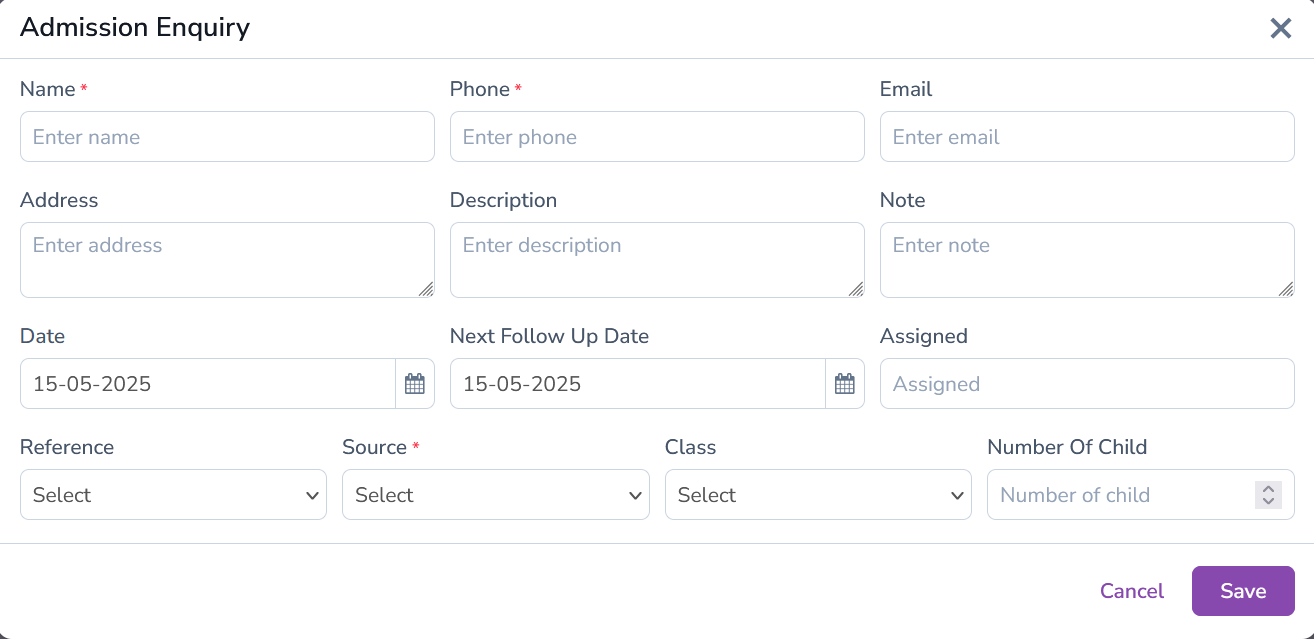
The Add Admission Enquiry form allows administrators to record details of prospective students. The form includes essential fields such as Name, Phone, Email, Address, and Description to capture complete information. Additional fields like Note, Date, Next Follow Up Date, Assigned Person, Reference, and Source help track the enquiry process. Admins can also specify the Class and Number of Children for better categorization. This comprehensive form helps streamline admission enquiries and ensures accurate record-keeping.
Visitor Book
The Visitor Book module helps administrators maintain a detailed record of all visitors entering the school premises. It allows users to record visitor information, including their purpose of visit, name, contact details, and the number of persons accompanying them. The module also tracks entry and exit times, maintaining a systematic log for security and administration purposes. Attached documents, such as ID cards, can be uploaded for verification and stored securely. The Visitor Book not only enhances security but also assists in tracking visitor patterns and managing visitor data efficiently.
Add Visitor Form
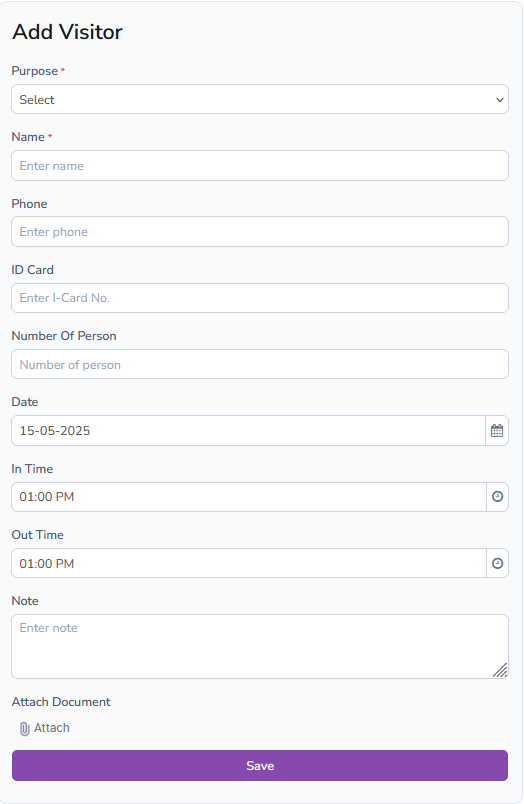
The Add Visitor Form is designed to efficiently capture visitor details for record-keeping and security purposes. The form requires essential information such as the Purpose of Visit, Visitor's Name, Phone Number, and ID Card details. Additional fields include the Number of Persons, Date, In Time, Out Time, and any relevant notes. Administrators can also attach a document (e.g., ID proof) to maintain a comprehensive record. This form facilitates easy data entry and helps manage visitor logs systematically.
Visitor List
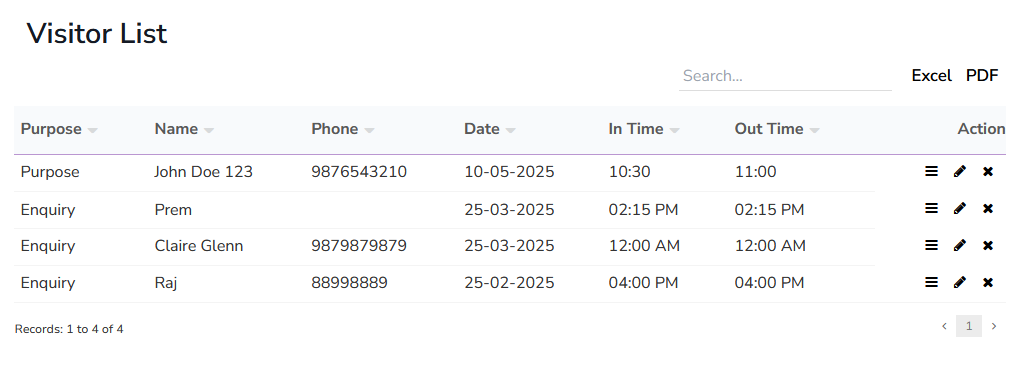
The Visitor List displays all recorded visitor entries in a structured format. Administrators can view detailed information about each visitor, including their name, purpose, date of visit, and contact details. Options to view the complete entry, edit details, or delete records are available for data management. Additionally, any attached documents can be downloaded for verification or record-keeping. This feature ensures that visitor logs are kept up-to-date and accessible at all times, promoting better administration and security.
Phone Call Log
The Phone Call Log module allows administrators to maintain a detailed record of phone calls made or received. It includes essential details like the name, phone number, call type (incoming or outgoing), date, and call duration. Administrators can also add a description, next follow-up date, and notes related to the call. This feature helps in keeping track of communication history and follow-up actions, ensuring efficient contact management. The module also offers options to view, edit, or delete existing call logs as needed.
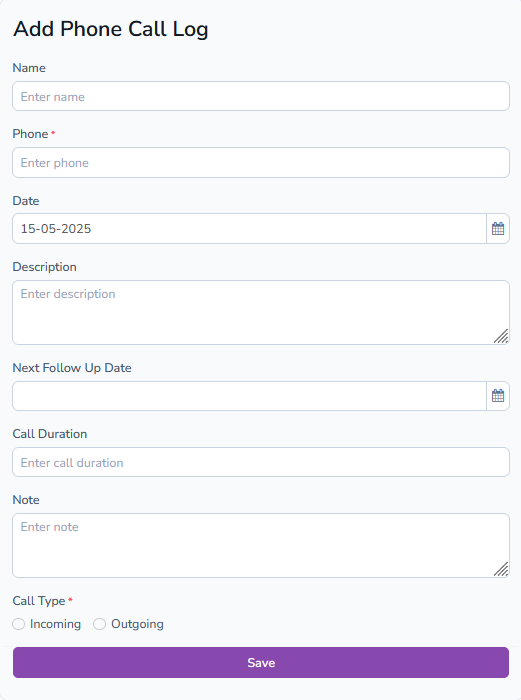
Add Call Log
The Add Call Log form allows users to record the details of a phone call for documentation and follow-up. Key fields include the caller's name, phone number, call type (Incoming/Outgoing), date, call duration, and a brief description. Additionally, users can specify the next follow-up date and add notes to maintain a comprehensive call history. This organized log helps in managing communications effectively and ensures no important calls are overlooked.
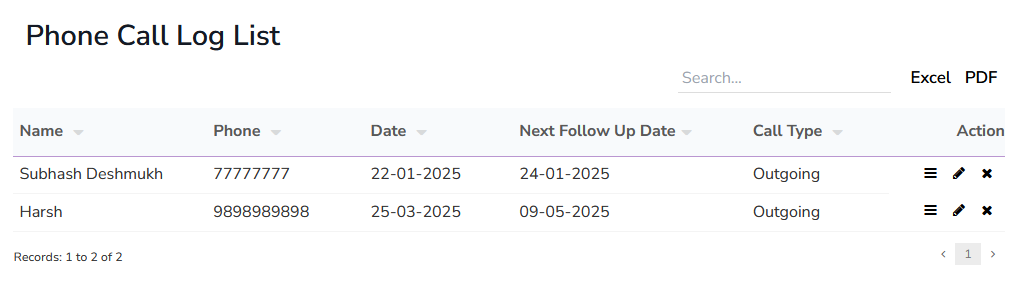
Phone Call Log List
The Phone Call Log List displays all recorded phone calls, including details such as the caller's name, phone number, call type, date, and duration. It provides a structured view, allowing administrators to track communication records efficiently. Each log entry can be viewed in detail, edited for updates, or deleted if necessary. This comprehensive list ensures that communication records are well-maintained and easily accessible for review and management.
Postal Dispatch
The Postal Dispatch module helps administrators manage outgoing postal items. It includes details like the recipient's title, reference number, address, and dispatch date. Users can also add a note and attach relevant documents to maintain a complete record of the dispatch. This module allows easy tracking of dispatched items and ensures organized record-keeping. Administrators can view, edit, or delete existing postal dispatch entries as needed.
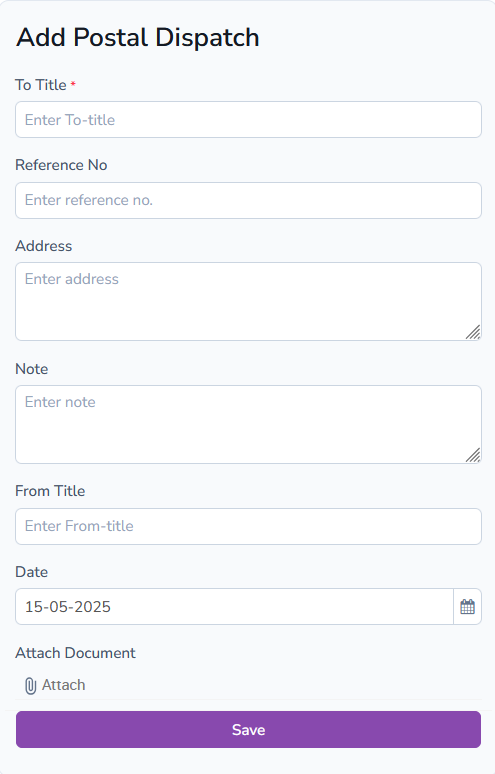
Add Postal Dispatch
The Add Postal Dispatch form enables users to record details of outgoing postal items. The form captures essential information, including the recipient's title, reference number, address, and dispatch date. Users can also add a note for additional information and upload documents related to the dispatch. This form helps maintain a structured log of dispatched items, enhancing record management.
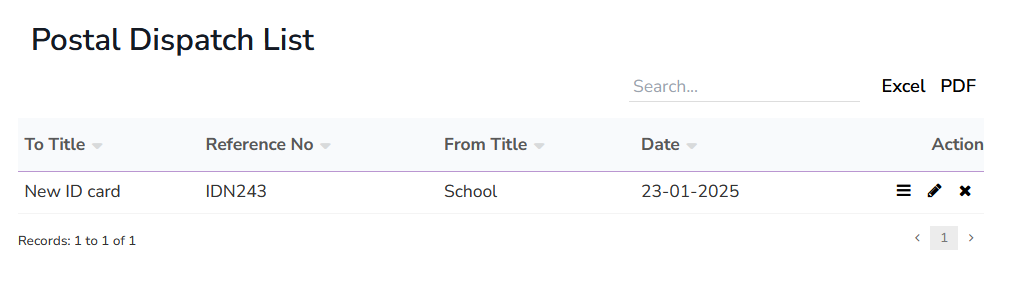
Postal Dispatch List
The Postal Dispatch List provides a comprehensive view of all outgoing postal items. Each entry includes details like recipient title, reference number, date, and any attached documents. The list allows administrators to efficiently manage records by providing options to view, edit, or delete specific dispatch entries. This organized list helps in tracking dispatched items systematically.
Postal Receive
The Postal Receive module helps administrators manage incoming postal items. It records the sender's title, reference number, address, and the date of receipt. Users can also add a note and attach documents related to the received item. This module facilitates organized tracking of all incoming postal records, improving management and accessibility.
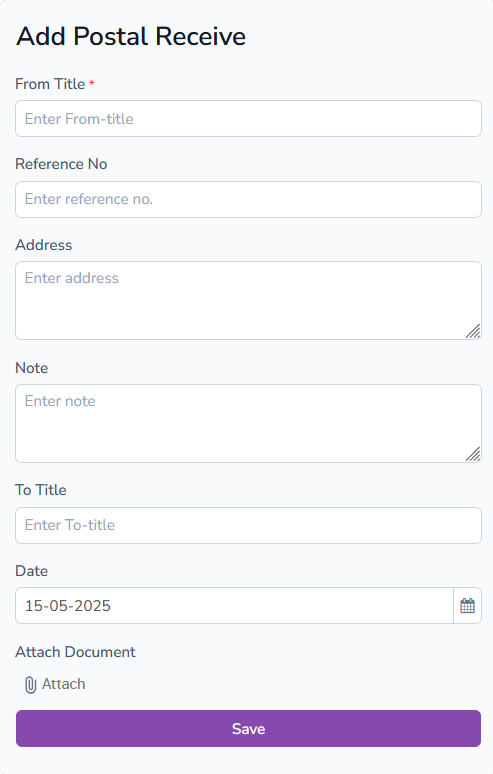
Add Postal Receive
The Add Postal Receive form allows users to log incoming postal items efficiently. Required fields include the sender's title, reference number, address, and date of receipt. Users can also add notes and attach relevant documents for accurate record-keeping. This form ensures that all received postal items are systematically documented and accessible.
Postal Receive List
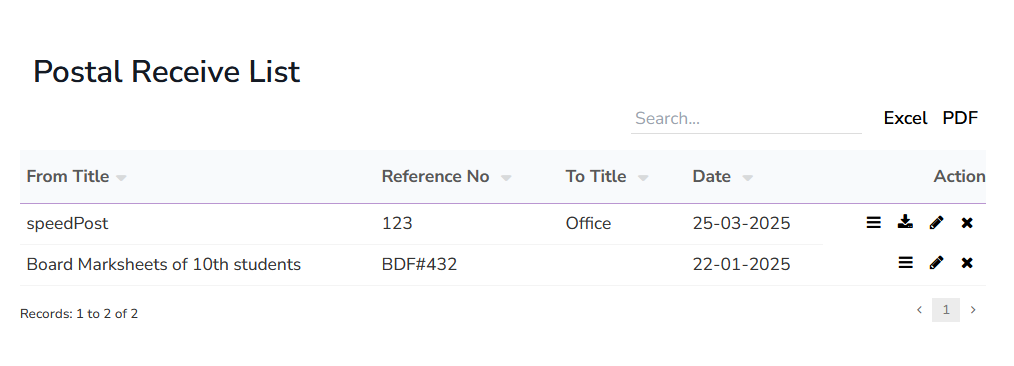
The Postal Receive List provides an organized display of all incoming postal records. Each entry contains information like the sender's title, reference number, date, and any attached documents. Administrators can view detailed entries, edit information, or delete records as required. This list ensures that all received postal items are accurately recorded and easy to retrieve when needed.