Attendance Management
Students Attendance
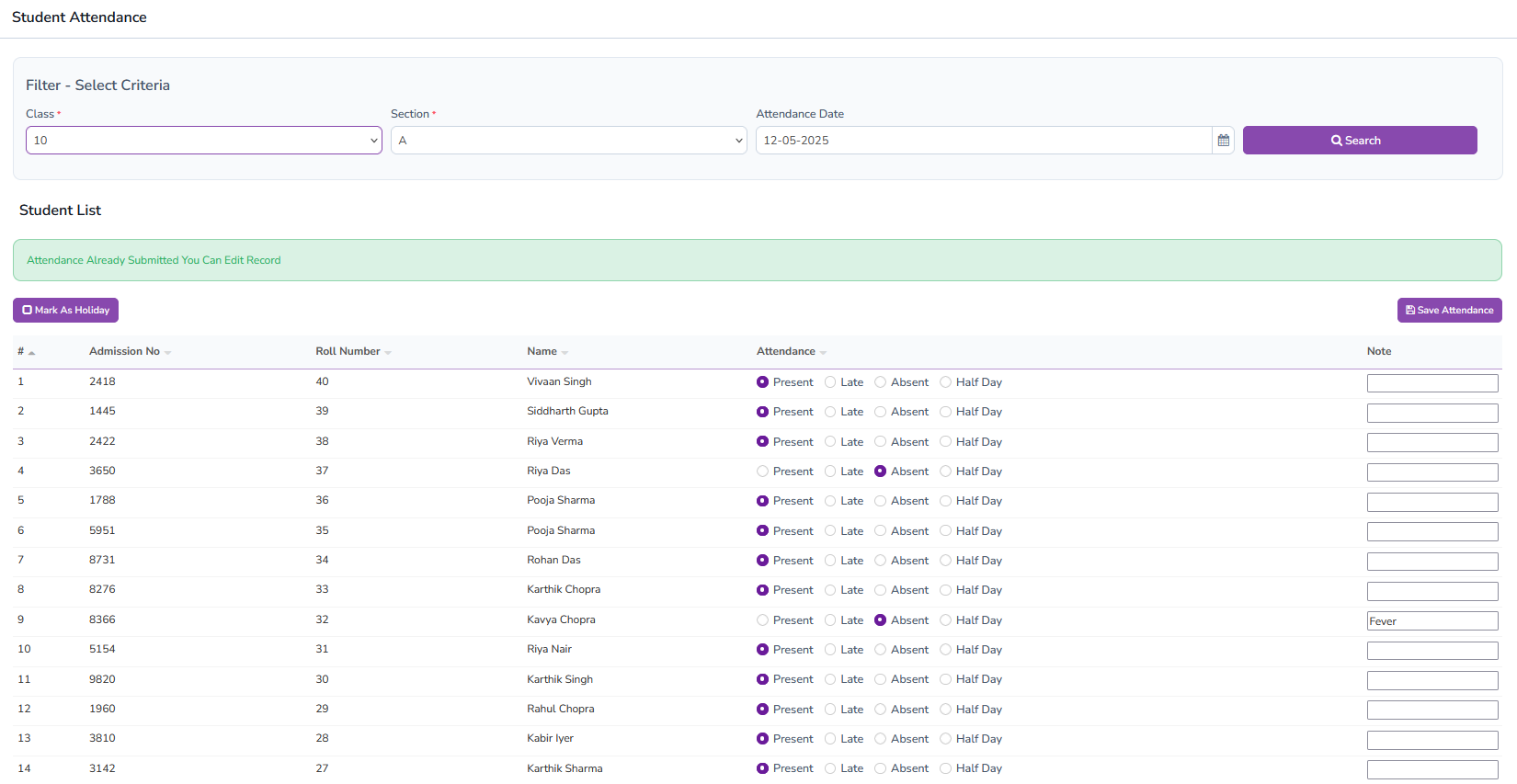
Administrators can mark attendance by filtering students based on class and section. If the administrator is assigned to a particular class, the list of students will be shown. The default status for all students is set to "Present" for quick entry. Administrators can mark a student as "Absent", "Late", or "Half Day" if needed. If attendance has already been submitted, it will display a message: "Attendance Already Submitted. You Can Edit Record".
Administrators can also mark the entire class as "Holiday" with a single click, saving time when the whole class is absent. After marking attendance, clicking "Save" will store all the entries automatically.
Attendance Entry Form
Attendance By Date
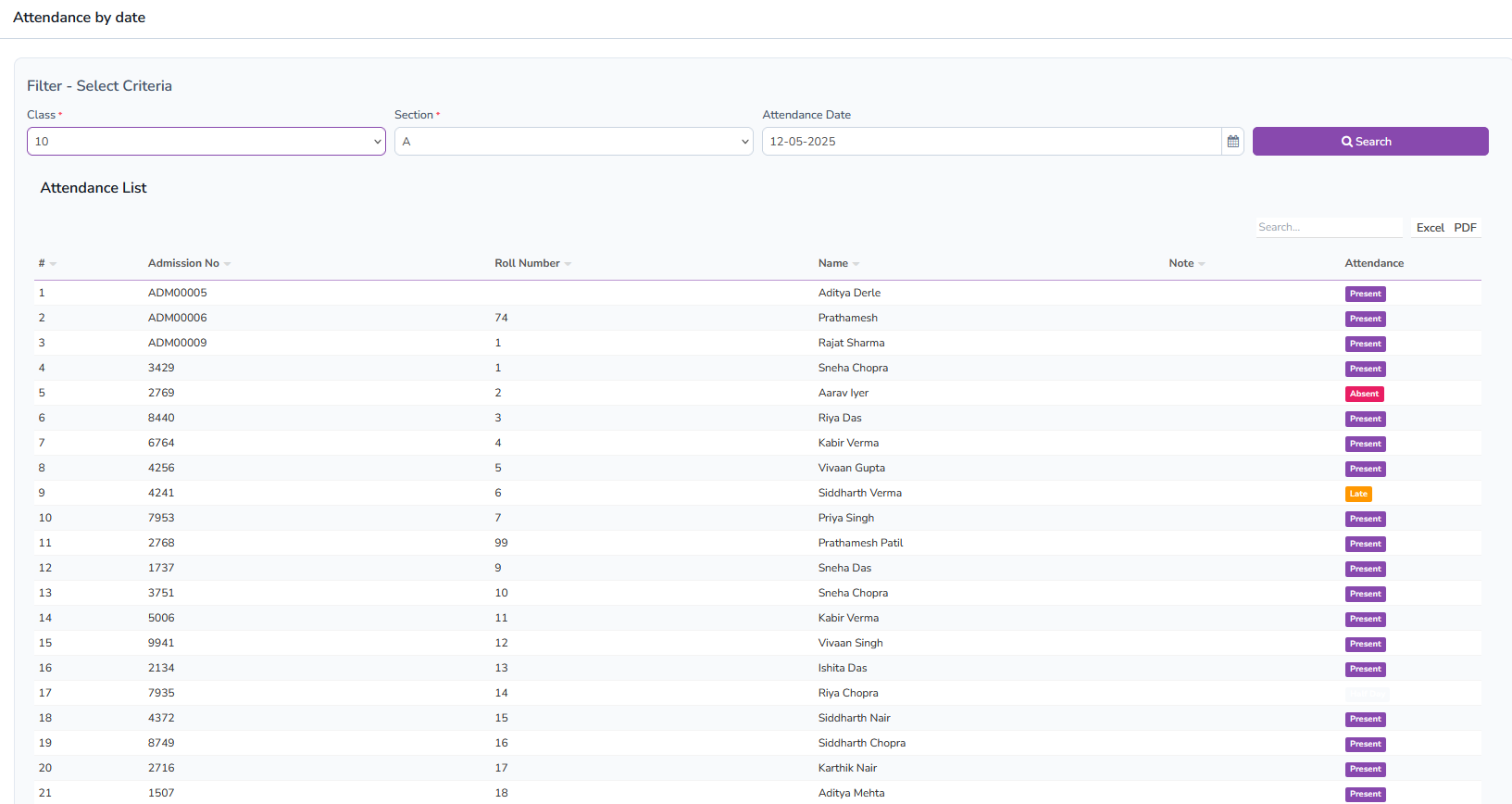
This section allows administrators to view the attendance of students filtered by class, section, and date. The UI displays the status as "Present", "Absent", "Late", or "Half Day" directly, giving a quick overview of student presence on a particular date.
Approve Leave
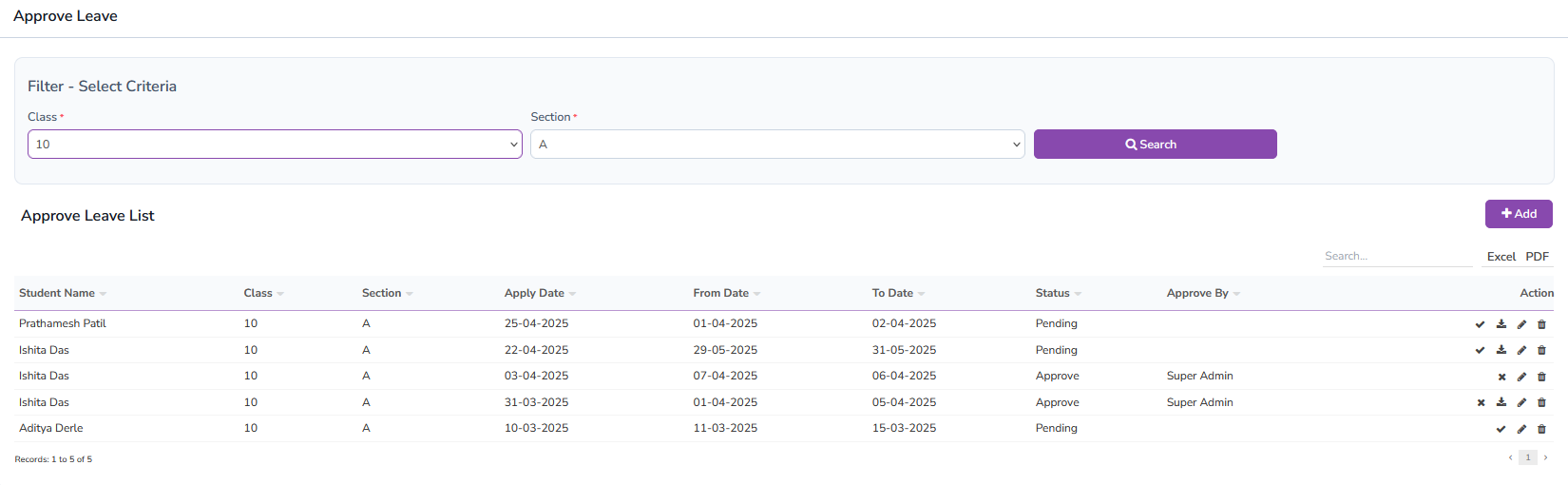
Administrators can approve or reject student leave applications from this section. Only leaves of students assigned to the respective class will be displayed. The interface shows a list of leave applications with actions like "Approve", "Reject", "Add Note", and "Delete".
Leave Approval List
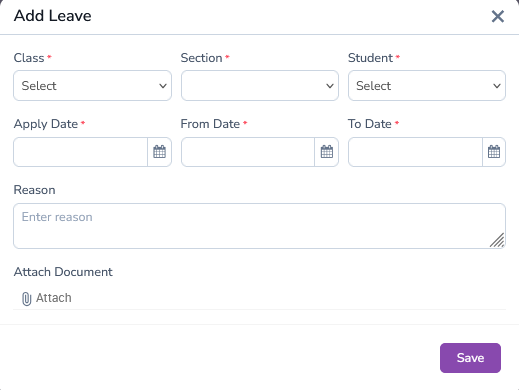
Also Add Students Leave Application